Product Photography for Small Businesses: A Practical Guide
Online, your photograph is the product. Customers cannot touch, smell or try it, so the image has to do all of that work. Here is how to get photographs that earn the sale.

Product photography is the practice of photographing goods so that a buyer can understand and want them without seeing them in person.
Key takeaways
- Good product photography is mostly light, a steady camera and a clean background.
- Every product needs a small set of shots: a clear main image, details, scale and the product in use.
- Consistency across your catalogue matters as much as the quality of any single image.
- A recent phone is enough to start. Hire a professional for campaigns, reflective products and large catalogues.
Product photography is the practice of photographing goods so that a buyer can understand and want them without seeing them in person. For a business selling online, through Instagram, a website or a marketplace, it is one of the highest-return investments available. Better photographs raise the perceived value of the same product and reduce the questions and returns that come from unclear images.
In Nigeria, where online buyers are particularly alert to the gap between "what I ordered" and "what I got", honest, detailed photographs are also a matter of trust.
The shots every product needs
Plan the shoot around a standard set. Using the same set for every product makes your catalogue look professional and makes shooting faster.
- The main image. The whole product, well lit, on a clean background. This appears in listings and search results.
- Alternative angles. Front, back, side, top. Whatever a customer would turn it to see.
- Detail shots. Texture, stitching, material, labels, buttons, the finish.
- Scale. The product in a hand, on a body, or beside a familiar object, so size is unmistakable.
- In use. The product doing its job in a real setting: the bag on a shoulder, the lamp in a room.
- Packaging and contents. What arrives and how it is presented.
- Variants. Each colour or size option photographed, not described.
Five to eight images per product is a sensible target for a shop. For social media, the in-use and detail shots usually perform best.
Two kinds of image, two jobs
Catalogue images show the product plainly so the buyer knows exactly what they will receive. They should be accurate, consistent and distraction-free.
Lifestyle or campaign images create desire. They place the product in a scene with people, props and mood. They sell the feeling of owning it.
You need both. Catalogue images close the sale; lifestyle images start it.
Light: the thing that matters most
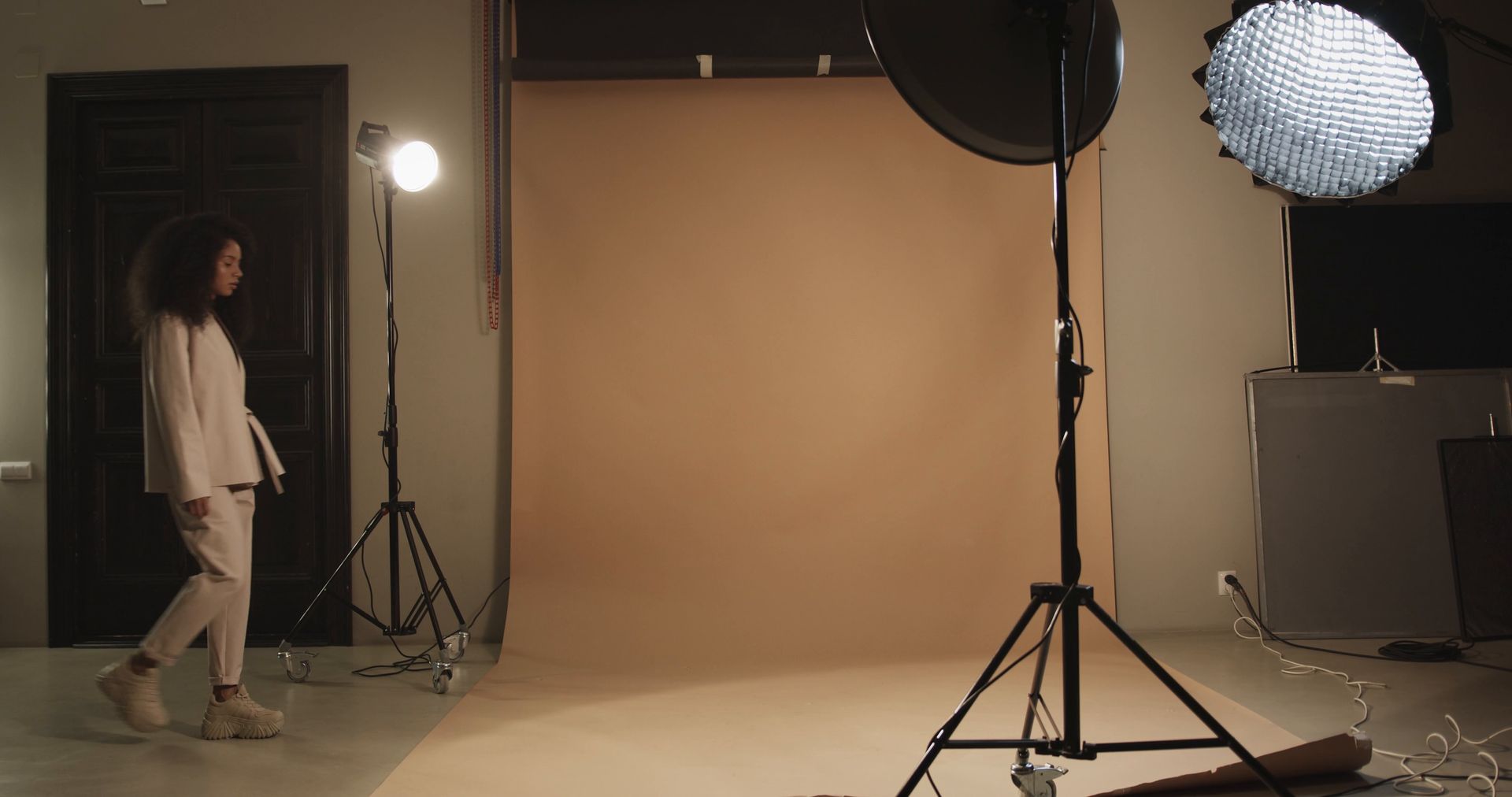
Light makes more difference than the camera. The aim for most products is soft, even light that shows shape and colour without harsh shadows or glare.
Using daylight
The simplest setup costs almost nothing. Place a table next to a large window, out of direct sun. Position the product so the light comes from the side. On the opposite side, stand a piece of white card or foam board to bounce light back and soften the shadow. Shoot at the same time of day to keep images consistent.
Using artificial light
Daylight changes, and power cuts interrupt indoor lighting. If you shoot regularly, two rechargeable LED panels or softbox lights give you control at any hour. Use the same settings each time. A light tent, a box of translucent white fabric, is a cheap way to photograph small items evenly.
What to avoid
- Direct midday sun, which creates hard shadows and bleached highlights.
- Mixing daylight with yellow room bulbs, which confuses colours.
- The camera's built-in flash, which flattens the product.
Backgrounds and surfaces
For catalogue images, white or a light neutral is the standard, because it keeps attention on the product and looks tidy in a grid. A large sheet of white paper curved from the table up the wall removes the line between surface and background.
For lifestyle images, choose surfaces and props that suit the brand and the customer: wood, stone, fabric, plants, a real kitchen or wardrobe. Props should support the product and never compete with it. If someone would notice the prop first, remove it.
Whatever you choose, be consistent. A feed where every product sits on the same kind of surface in the same light reads as a brand.
Customers judge the product by the photograph and the business by the consistency.
Equipment: start simple
- Camera. A recent smartphone is adequate for most online use. A dedicated camera helps for print, large images and difficult subjects.
- Tripod. The most useful purchase. It keeps images sharp and framing identical from product to product.
- Reflector. White card or foam board.
- Background. A roll or large sheets of white paper.
- Clamps, tape and clips for holding things in place.
- A clean cloth and a lint roller. Dust and fingerprints show up badly in close-ups.

Shooting technique
- Prepare the product. Steam clothes, polish surfaces, remove tags and stickers.
- Clean the lens.
- Fix the camera position and mark where the product sits, so every item is framed the same.
- Keep the camera level and at the height the product is normally seen from.
- Tap to focus on the most important part.
- Leave space around the product for cropping to different shapes.
- Take more than you need. Small changes of angle often make the difference.
- Check images on a larger screen before packing up.
Difficult products
Shiny and reflective items, such as jewellery, bottles and watches, reflect everything around them. Surround them with white card and use large, soft light sources. This is where professionals earn their fee.
Clothing looks best on a person or a mannequin, where fit and drape are visible. Flat lays work for casual items if arranged neatly.
Food needs to be photographed quickly, usually from above or at a low angle, with side light to show texture.
Dark and white products need careful exposure so that detail is not lost. A contrasting background helps.
Editing
Editing should make the image accurate and clean, not change the product. Typical steps:
- Crop and straighten.
- Correct the white balance so whites are white and colours are true.
- Adjust brightness and contrast.
- Remove dust and small blemishes on the background.
- Export at a size suited to its use, compressed for fast loading.
Save your settings as a preset and apply it to the whole batch for consistency. Do not alter colours to look more attractive than the real item, and do not remove flaws the customer will see on delivery. That only moves the disappointment to the doorstep.
Preparing images for the web
Large image files slow down a shop, and slow pages lose sales, especially on mobile data. Resize images to the largest dimension your site actually displays, use a modern compressed format where your platform supports it, and name files descriptively, for example "brown-leather-tote-front.jpg". Add short alt text describing each image. It helps visually impaired customers and helps search engines understand the page.
Working with models and people
Showing a product on a person helps buyers imagine themselves with it. Choose people who resemble your customers. Agree in writing how the images may be used and for how long, even with friends or staff. For close-up hand shots, clean and neat nails and skin matter more than you might expect.
When to hire a professional
Doing it yourself is sensible for everyday catalogue images and social posts. Consider a professional photographer or studio when:
- You are launching a brand or a campaign and need images that set the tone.
- Your products are reflective, very small, or otherwise hard to light.
- You have a large catalogue that must look uniform.
- Images will be used in print, on billboards or in advertising.
- You need models, locations and styling coordinated.
When briefing a photographer, provide a shot list, examples of the style you want, the sizes and formats required, and a clear statement of usage rights. Our content production service, which includes photography, starts from ₦280,000 per month.
Common mistakes
- Using supplier or internet images instead of your own.
- Inconsistent backgrounds and lighting across the catalogue.
- No indication of size.
- Over-editing so that colours do not match the product.
- Cluttered scenes where the product is hard to find.
- Blurry or dim images taken in a hurry.
- Huge files that make pages slow.
Product photography: frequently asked questions
Can I take good product photographs with a phone?
Yes. With good light, a tripod and a clean background, a recent phone produces images suitable for websites and social media.
What background is best for product photographs?
White or a light neutral for catalogue images. For lifestyle images, a setting that reflects how and where the product is used.
How many photographs should each product have?
Five to eight covers most needs: a main image, several angles, details, scale and the product in use.
How much does product photography cost in Nigeria?
It depends on the number of products, the complexity, and whether models, styling and locations are involved. Ask for a quote based on a clear shot list.
The short version
Use soft light, a tripod and a clean background. Shoot a consistent set for every product, edit for accuracy, compress for speed, and bring in a professional for campaigns and difficult items. If you want a team to plan and shoot your products, get in touch.
Further reading: Think with Google.